

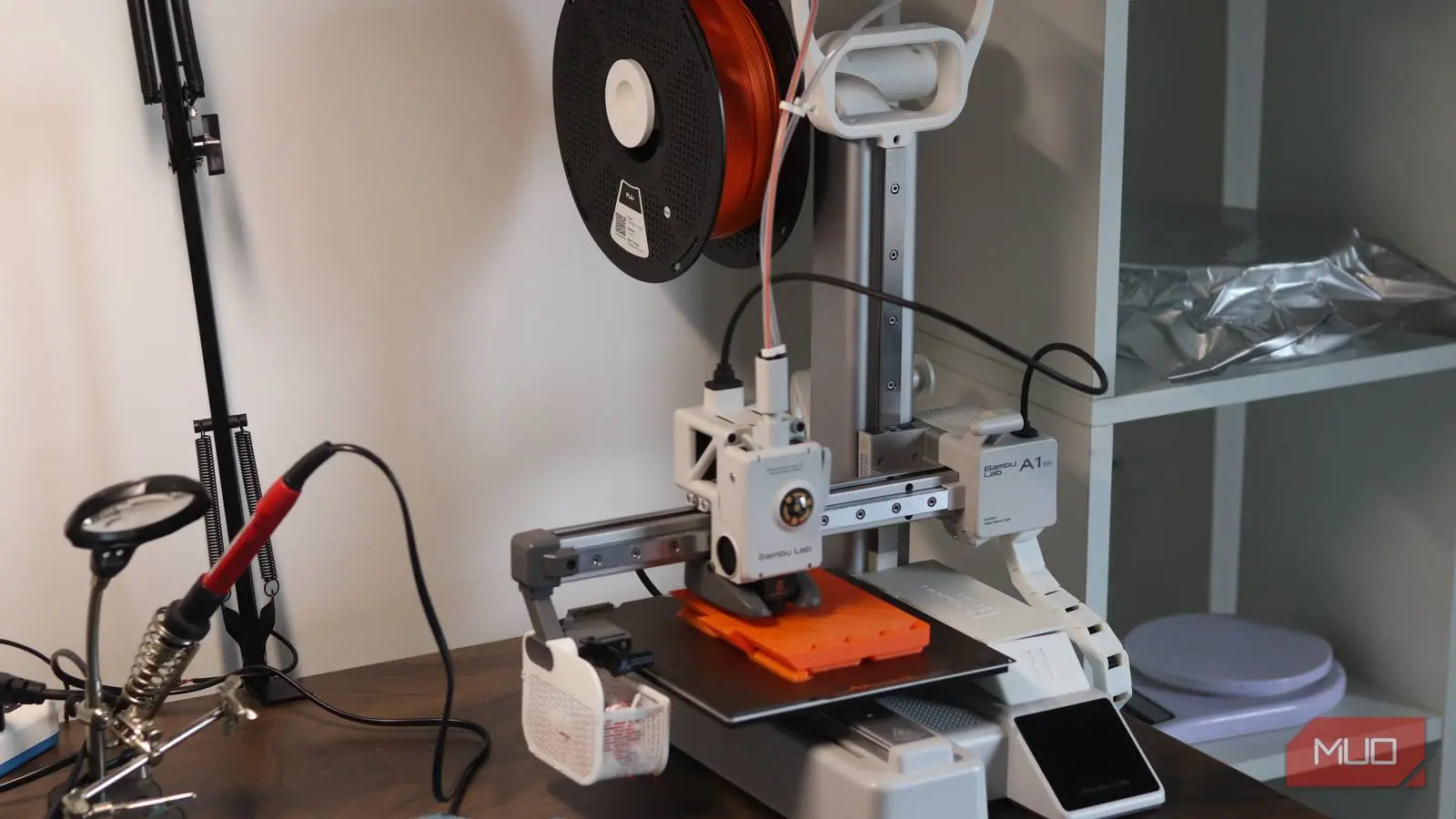
I had prior experience with 3D printing before I first bought one. My first job, straight out of high school, involved repairing and maintaining two 3D printers all the way back in 2017. I fixed those printers, and they ran just fine as long as I was tending to them. They got me hooked on the idea of 3D printing, but they were also the reason I put off buying one for myself for nearly a decade.
When I finally got one in 2026, it turned out I was worrying for nothing. Modern 3D printers have come a long way from their ancestors, and 3D printing is truly approachable for anyone now, not just limited to hobbyists and creators.
The printer was never the problem
I overestimated the noise, space, and disruption a 3D printer would bring
My early experience with 3D printing revolved primarily around the Wanhao Duplicator 3 — a massive, heavy, nearly industrial 3D printer with a relatively small bed but a massive enclosure. I'd slice files on my PC, move them to a microSD card, take it over to the printer, and print only to find that my eyeballed bed-levelling with a sheet of paper wasn't accurate enough. Not to mention the loud noises the printer produced.
I wanted my 3D printer to sit on my electronics workbench, where I work on hardware projects, so size was a real constraint. And since it's right next to my actual work desk, I was worried that constant noise from the printer would be a massive distraction.
When I printed my first benchy on my Bambu Lab A1 Mini, all of these assumptions vanished faster than I could imagine. The printer has a tiny footprint, looks absolutely gorgeous, and apart from the cooling fan, I can barely hear the motors. Now I run print jobs all day long while working at my desk barely a meter away and hear absolutely nothing.
The evolution of 3D printer design has been remarkable. Early machines like the RepRap and MakerBot Replicator were open-frame, loud, and required constant manual adjustments. Today's consumer printers incorporate acoustic damping, silent stepper drivers (like TMC2209), and vibration compensation algorithms. The A1 Mini, for example, uses a fully enclosed base and a robust gantry that minimizes vibrations. This is a far cry from the rattling plywood frames of a decade ago.
Speed mattered less than I expected
Long print times stopped feeling important once the printer could work unattended
My time fear had two layers to it. The first was print speed itself. I associated 3D printers with the kind of glacial pace where a small part takes the better part of a day. The A1 Mini dismantled that assumption almost instantly. It prints a standard Benchy test boat in roughly 20 minutes at default speeds, and real-world functional prints like brackets, enclosures, organizers — the kind that make up most of my printing — finish in a fraction of the time older machines would have needed.
The second layer was the amount of attention a print would require from me. Turns out, the answer is almost none. The bed levels itself automatically before every print, filament runout detection pauses the job if you run dry mid-print, and the built-in camera lets you glance at progress from the Bambu Handy app — or if you take the time to set up your printer in Home Assistant — from your integrated smart home dashboard.
I've started printing hundreds of kilometers away from my printer and came back home to a perfect print waiting for me to take it off the print bed. If you maintain your printer and tune your filament right, 3D printing becomes a background process, not a time hog.
The speed gains come from multiple innovations: CoreXY kinematics (used in the A1 Mini) are inherently faster than traditional bed-slingers like the Ender 3. Input shaping (via firmware like Klipper or Bambu's own implementation) cancels resonance and allows higher acceleration without losing quality. Combined with direct-drive extruders and all-metal hotends, flow rates have doubled to tripled compared to decade-old designs. A 20-minute benchy was unthinkable in 2017; now it's the baseline.
Maintenance turned out to be mostly a myth
Modern printers require far less tinkering than their reputation suggests
Beyond print time, I expected ongoing maintenance to quietly eat into my schedule. Back in the day, I considered myself lucky if I was able to get through a whole day of printing without unclogging a nozzle or leveling the bed on the Wanhao Duplicator. Bed calibration, nozzle clogs, belt tension checks — I'd mentally budgeted for all of it as a recurring cost.
In practice, the A1 Mini has asked very little of me. In the 134 hours of total printing time since I've gotten the printer, all I've done is calibrated my filament — and even that wasn't explicitly required, as generic PLA profiles worked well enough with filament from various brands.
The one area where I'd temper expectations is multi-color printing with the AMS or AMS Lite. I didn't get one on account of all the waste it produces, but apart from that, it adds significantly more time and filament to a regular print. But for my everyday prints like custom ESP32 enclosures, mounts, cosmetic parts, replacement brackets, and more, it's been remarkably low friction.
Let's break down the maintenance myth further. Older printers demanded manual bed leveling before almost every print, using a piece of paper to gauge nozzle height. This process could take 10–15 minutes and still be inconsistent. Modern printers employ inductive or capacitive probes (like the BLTouch or integrated strain sensors) that map the entire bed surface in seconds and compensate automatically. Nozzle clogs have been reduced by larger nozzle diameters (commonly 0.4 mm but available up to 1.0 mm) and improved thermal break designs. Belt tensioning, once a frequent chore, is solved by self-tensioning systems or spring-loaded idlers. Even routine tasks like cleaning the build plate with isopropyl alcohol are now recommended only every several prints rather than after every single one.
The biggest mistake was waiting so long
I should have bought a 3D printer years earlier instead of overthinking it
I got my printer before Bambu Lab pulled the HP playbook on 3D printing; regardless, they do make a mean printer. Even modern printers from the likes of Creality, Elegoo, and Prusa now behave more or less like a hobbyist tool and more like a home appliance. You configure it once, make a few adjustments to the defaults (or trust them), and it just works. The printer doesn't ask for entire days of maintenance, it doesn't magically fail out of nowhere, and with basic maintenance like cleaning the build plate or lubing the rails, it works just fine.
I was holding on to a mental image of 3D printing from nearly a decade ago and hadn't updated it. If your hesitation, like mine, was really about time — both the time prints take and the time and skill the machine demands of you — 3D printing has addressed both sides of that equation. It's fast, reliable, and it gets out of your way. I wish I had stopped waiting much sooner.
The transformation of 3D printing from a hobbyist's tinkering project to a genuine home appliance reflects the maturation of the entire ecosystem. Firmware like Marlin, Klipper, and Bambu's own closed-source OS have become incredibly robust. Slicing software (Bambu Studio, Cura, PrusaSlicer) now includes pre-configured profiles for hundreds of filaments, so you don't need to experiment with temperatures and retractions. And print farms in China have driven down hardware prices to the point where a capable machine like the A1 Mini costs less than a mid-range graphics card.
For anyone still on the fence, consider this: the biggest obstacle isn't the technology—it's the outdated perception that 3D printing requires a workshop, loud noises, and constant babysitting. None of that is true anymore. The A1 Mini prints while I sleep, while I commute, while I work. It has become as essential a tool on my desk as a soldering iron or a multimeter. The only regret I truly have is waiting until 2026 to find out.
Source:MakeUseOf News