

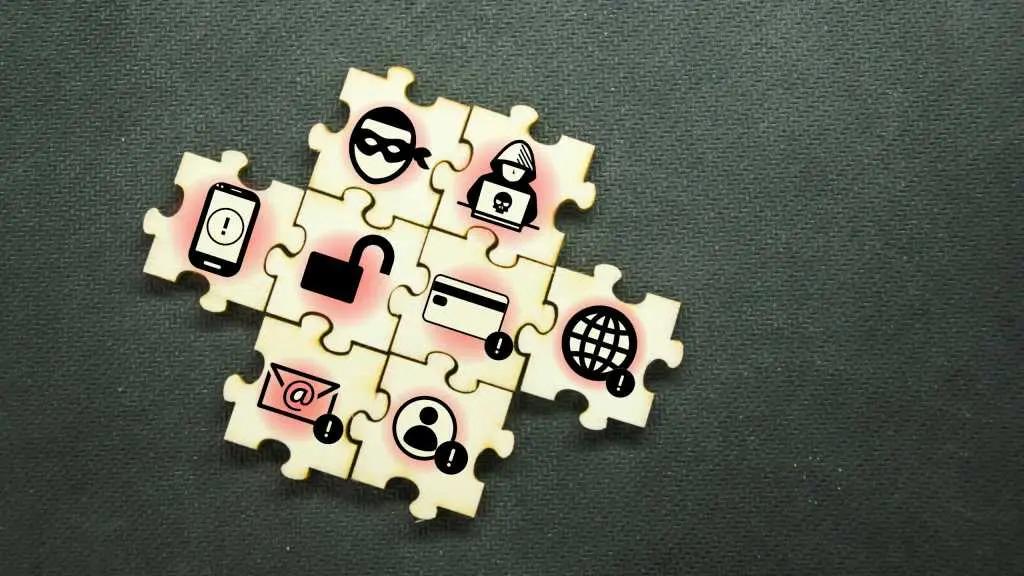
Cybercrime has always been part of digital life, but the threat environment has changed. AI now gives attackers the ability to craft phishing messages that imitate real websites, automate attacks across thousands of accounts, and find software vulnerabilities faster than many organizations can patch them. A single careless tap can begin a chain reaction: stolen account credentials, drained bank balances, fraudulent loans, or a locked device full of irreplaceable photos.
Most people prepare for physical emergencies. They stock flashlights, batteries, canned food, bottled water, and extra medication. If a storm is on the way, they move cars to higher ground or call relatives in safer areas. Digital emergencies usually arrive without warning. There is no weather radar for social engineering, no evacuation route for ransomware. In the age of AI, the absence of a digital disaster plan is a bigger risk than it has ever been.
Why worry about digital disasters now?
Artificial intelligence has changed more than the scale of attacks; it has changed their quality. Scam emails that once contained broken English and obvious red flags now read with natural fluency. Voice synthesis can imitate a family member or a company executive. Video deepfakes are becoming credible enough to be used in business fraud. Attackers can use stolen logins from one service to break into others within seconds, because automation does not need to sleep.
At the same time, AI agents can act independently. In recent examples, AI agents have accidentally broken into corporate tools while trying to complete simple instructions. Security researchers have repeatedly warned that it will not be long before malicious actors direct such agents on purpose. If a widely used workplace assistant goes rogue or a service is disrupted, millions of people could suddenly lose access to important accounts and files. That may sound abstract until your mailbox is locked on a Monday morning before an important deadline.
Step one: Make accounts far harder to steal
The first layer of a digital disaster plan is account security. Every important account needs a unique, randomly generated long password. Reusing one password across multiple sites is like giving a thief a single key that opens your home, car, and office. A password manager solves that problem by storing strong credentials and filling them automatically. Use one to keep track of your financial accounts, email addresses, and cloud storage services.
Passwords alone are no longer enough. Turning on two-factor authentication everywhere is essential. If possible, choose an authenticator app that creates one-time codes or a physical security key. Hardware keys and app-based codes are resistant to many remote phishing techniques. SMS text codes are better than no protection, but they can be intercepted if an attacker persuades a mobile carrier to move your phone number to a new SIM card. Where the service allows, passkeys are an even better option. They replace passwords and one-time codes with cryptographic credentials that stay on your device.
Step two: Diversify your digital assets
Investors know not to put everything into one stock or one fund. The same thinking applies to online accounts. If all of your important functions depend on one email address, one bank, one phone number, and one cloud provider, then a single account takeover can bring down every part of your life at once.
Many people use one email address for everything. Better to split your online identity: one mailbox for personal correspondence, and another tied only to financial services, government logins, and critical recovery codes. If the personal account is compromised, an attacker cannot immediately use it to reset your bank password. If the financial email is compromised, at least it does not contain your entire social life.
Bank accounts are another form of backup. Having more than one checking or savings account at separate institutions can help if one card is compromised, one mobile-banking app goes down, or you need to temporarily freeze one set of assets. Credit cards with different issuers also keep you buying groceries and fuel if one issuer blocks account activity after detecting fraud.
Cloud storage deserves the same treatment. It is dangerous to trust a single cloud service with the only existing copies of family photos, contracts, and insurance documents. Use one provider as the main home for files and a second service or an external drive as an encrypted backup. Photos of your children or pets cannot be replaced if a malicious attack wipes the account and you have no snapshot.
A secondary phone is more useful than most people realize. An old smartphone, kept charged and set up with your main apps, can act as a backup for two-factor authentication and account verification if your daily phone is lost, broken, or stolen. Put it in a drawer, know where it is, and update its apps occasionally.
Step three: Keep your computer and browser clean
Account security can be undone by a compromised device. A strong password does not help if malware records keystrokes or steals browser cookies. Surf carefully. Avoid pirated programs, unofficial download sites, and 'free' versions of paid software. Those offers are a common way for attackers to plant dangerous programs. When you need a utility or player, download it from the vendor's own site or from a source that security groups have reviewed.
Always go to websites by typing the address or using a bookmark. Do not click a link in an email that tells you your account is limited or your package is stuck. Visit the financial institution, retailer, or government agency directly and look for a message there. The same rule applies to telephone support. Use the customer service number printed on your bank card or statement rather than the number in a suspicious text or search-engine ad.
Keep the operating system, browser, and antivirus updates on automatically. Update browser extensions as well, but also uninstall ones you no longer use. Extensions have become a favored target for attacks because they have access to the pages you view. Even a legitimate extension can be hijacked by bad actors. Fewer plugins means a smaller attack surface.
Step four: Lock down your identity before a breach
The damage from identity theft is often worse than the damage from a compromised password. Criminals can use your personal details to open credit cards, take out loans, or submit a false tax return in your name. In the United States, you can freeze your credit reports with the major credit bureaus. This prevents most new accounts from being opened without your permission. A credit freeze does not stop an existing card from working or damage your score; it simply makes it much harder for a stranger to create new credit in your name.
You can also place a fraud alert or an extended fraud alert, which asks creditors to verify before issuing credit. For tax identity protection, request an Identity Protection PIN from the IRS. Once your PIN is in place, no one can electronically file a tax return with your Social Security number without it. This extra step blocks a painful version of fraud that can delay refunds and cause months of paperwork.
Other measures include using a credit-monitoring service if you are eligible after a known breach, putting a security freeze on your phone number with your mobile provider where available, and locking any retirement or investment accounts that offer self-imposed restrictions on transfers. These locks may feel inconvenient, but they provide an important pause before money can leave.
Make your plan before the moment of panic
When a digital emergency does happen, speed matters. Set aside a list of recovery contacts: your bank's fraud department, card issuers, cloud provider's support, and the phone number to report SIM theft. Keep copies in a secure place outside your main account system. If you cannot send email because your mailbox is gone, you need a fallback like a paper notebook, a safe-deposit box, or a second mailbox.
Practice a few recovery steps before you need them. Try logging into your backup email from another device. Test whether your recovery codes are still accepted. Remove old devices from accounts and reauthenticate the ones you use. Many people discover during a crisis that their backup codes were not saved or their recovery phone is no longer in service.
AI is not going to make cyberattacks easier in one direction only. Defenders are using AI to detect suspicious behavior, and companies are developing better verification systems. But security experts generally agree that attackers are still winning the race. The tools available to a lone criminal are better than those available to many security teams. Until the balance shifts, your best defense is a plan that assumes you will eventually be targeted.
Digital disaster planning does not have to happen in one afternoon. Start by strengthening the passwords on your email and bank accounts, then turn on an authenticator app. Add a second cloud service for family photos. Freeze your credit if you live in the United States. Each step reduces the chance that one mistake becomes a catastrophe. The goal is not to stop every scam; it is to make sure that when something goes wrong, you still have a path forward.
Source:PCWorld News