

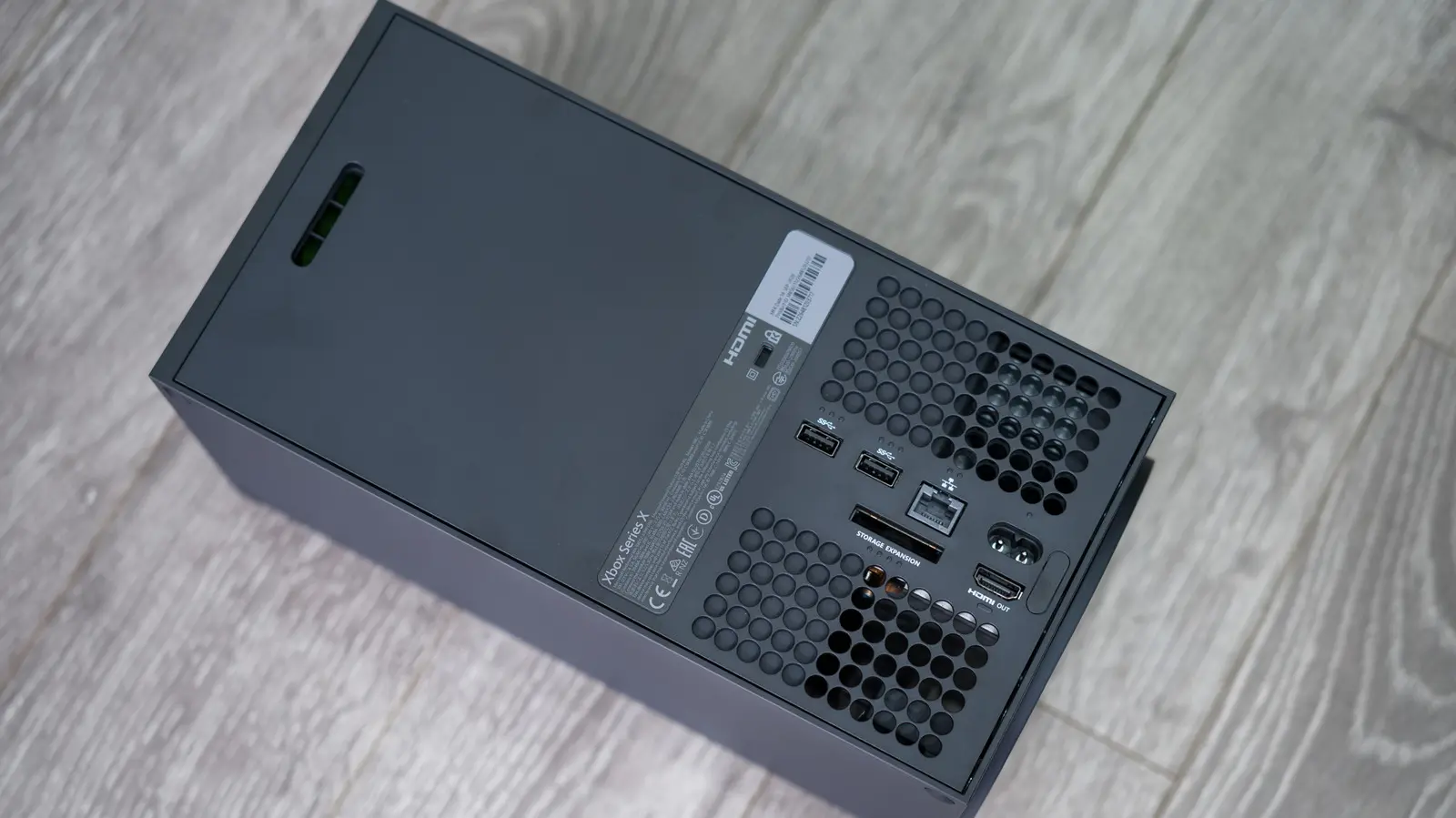
Modern gaming consoles like the Xbox Series X and Series S are marvels of engineering, but they are not immune to hardware failures. Among the most frequently encountered board-level issues is HDMI port damage. Whether due to wear and tear, accidental cable pulls, or manufacturing defects, a failing HDMI port can render your console unable to display video, leading to frustration and the need for professional repair. Understanding the causes, symptoms, and costs involved can help you make an informed decision about getting your console back in working order.
Common Causes of HDMI Port Failure on Xbox Series X/S
The Xbox Series X and S, like the PlayStation 5, use surface-mount technology (SMT) for their HDMI ports. Unlike older through-hole components, surface-mount ports are soldered directly onto the surface of the printed circuit board (PCB). This design allows for higher component density and faster signal speeds, but it also makes the ports more vulnerable to physical stress. The pins and solder pads are exceptionally fragile, and a single cracked joint can cause complete signal loss. Common causes include repeated insertion and removal of HDMI cables, excessive force when plugging or unplugging, a bent or damaged cable connector, or even liquid damage that causes corrosion or an electrical short. In some cases, the retimer IC—a chip that regenerates the HDMI signal—can fail, mimicking port damage symptoms.
Manufacturing defects are less common but can occur. Poor soldering during assembly may leave weak joints that fail after thermal cycling from console use. Additionally, the internal retention tabs that hold the HDMI cable in place can break, causing the cable to slip out or not make proper contact. These issues are not covered under standard manufacturer warranties after the first year, but extended warranty or insurance plans may help.
Symptoms of a Failing HDMI Port
Recognizing the signs of HDMI port trouble early can save time and prevent further damage. The most common symptoms include:
- Intermittent signal loss: The screen may flicker or go black for seconds at a time while the console remains on.
- Pixelation or artifacts: Small squares or color distortions appear on the screen, especially during high-bandwidth scenes.
- Resolution issues: The TV may not detect the correct resolution, or the console may default to a low resolution like 480p.
- No video output: The console powers on (you can hear the fan and see the Xbox logo briefly), but the TV displays a black screen or an "HDMI no signal" message.
- Loose cable connection: The HDMI cable does not click securely into place and can be pulled out easily.
It's important to rule out other possible causes before concluding that the port is defective. Always test with a different HDMI cable known to work, and try connecting the console to a different TV or monitor. If the problem persists across multiple cables and displays, the issue is almost certainly with the console's HDMI port or internal circuitry.
Repair Options and Cost Estimates
If your Xbox Series X or S is still under warranty—typically one year from the date of purchase—Microsoft will repair or replace the console free of charge. To check warranty status, visit the official Xbox device support page using your console's serial number. In-warranty repairs can be handled through Microsoft directly or through authorized service providers. Since 2025, Microsoft has partnered with uBreakiFix by Asurion, a national chain with over 700 stores in the United States, to offer in-person repairs for Xbox consoles. This partnership makes it easier for gamers to get their consoles fixed without shipping them away.
For out-of-warranty consoles, you'll need to pay for the repair. I contacted a local uBreakiFix technician who quoted a flat fee of $200 for HDMI port replacement, plus applicable sales tax. Other independent repair shops, such as Repair Labz and DVD Game Exchange, offer mail-in services starting at $99 and $149.99 respectively. These shops often have social media followings and specialize in micro-soldering repairs. The cost difference often depends on whether the shop needs to replace just the port itself or also the retimer IC, and whether there is any PCB damage that requires trace repair.
It's worth noting that some warranties from credit cards or third-party plans may cover accidental damage. Check with your credit card issuer or the retailer where you bought the console if you purchased an extended warranty.
Why DIY HDMI Port Replacement Is Not Recommended
While the idea of fixing the console yourself may be tempting, HDMI port replacement is one of the most difficult repairs to perform without professional equipment. The process requires a hot air rework station capable of reaching temperatures high enough to melt lead-free solder (typically 350–400°C), a soldering iron with a fine tip, flux, solder wick, and—most importantly—a stereo microscope or high-magnification camera to see the tiny solder pads. These tools can cost several hundred dollars, far more than a professional repair.
Moreover, the risk of causing additional damage is high. Applying too much heat can lift pads or damage the PCB, requiring complex trace repair or even full board replacement. Bridging adjacent pins is easy and can cause short circuits that may destroy other components. If you attempt the repair and fail, a professional will have to undo your work, which increases the total cost. For these reasons, both Microsoft and independent repair experts strongly advise leaving HDMI port repairs to trained technicians.
Microsoft does offer DIY replacement parts for Xbox controllers, which are much more user-friendly. But for the console itself, especially the motherboard-level HDMI port, the safest route is to pay a professional or use an authorized service center.
Preventive Measures to Extend HDMI Port Life
While HDMI port failure can happen unexpectedly, there are steps you can take to reduce the risk. Always handle HDMI cables with care: grip the connector firmly when plugging or unplugging, and avoid yanking the cable by the wire. Ensure that cables are not under tension or bent sharply near the port. Use high-quality HDMI 2.1 cables that are certified for the Xbox Series X's high bandwidth (48 Gbps). Consider using a cable management system to keep the area around the console tidy. If you move the console frequently, remove the cable from the port before transport. Avoid exposing the console to liquids or high humidity, which can cause corrosion on the port contacts.
Another preventive measure is to use an HDMI extension cable that connects to the console and stays in place; then you plug your TV cable into the extension. This way, the port on the console experiences less physical wear. However, be sure the extension cable supports the required bandwidth to avoid signal degradation.
Source:SlashGear News