

Since its introduction in 2002, the HDMI (High-Definition Multimedia Interface) cable has become the default standard for connecting televisions, game consoles, streaming devices, and media players. Its widespread adoption is staggering: market analyses suggest that HDMI cables are present in approximately 120 million U.S. households, with roughly 85% of those homes owning at least two HDMI-enabled devices. This ubiquity means that the tangled drawer of cables, adapters, and outdated electronics found in many American homes is almost guaranteed to contain several HDMI cables of varying lengths and specifications.
This abundance is generally a blessing. When a shiny new gaming console arrives without an accompanying HDMI cable, you can simply reach into that drawer and grab one. However, what happens when the cable you have is just a few inches too short to reach from your console to the TV? You might be tempted to move furniture or rearrange your entire entertainment center, but there is a far simpler solution: an HDMI coupler (also called an HDMI joiner or HDMI adapter).
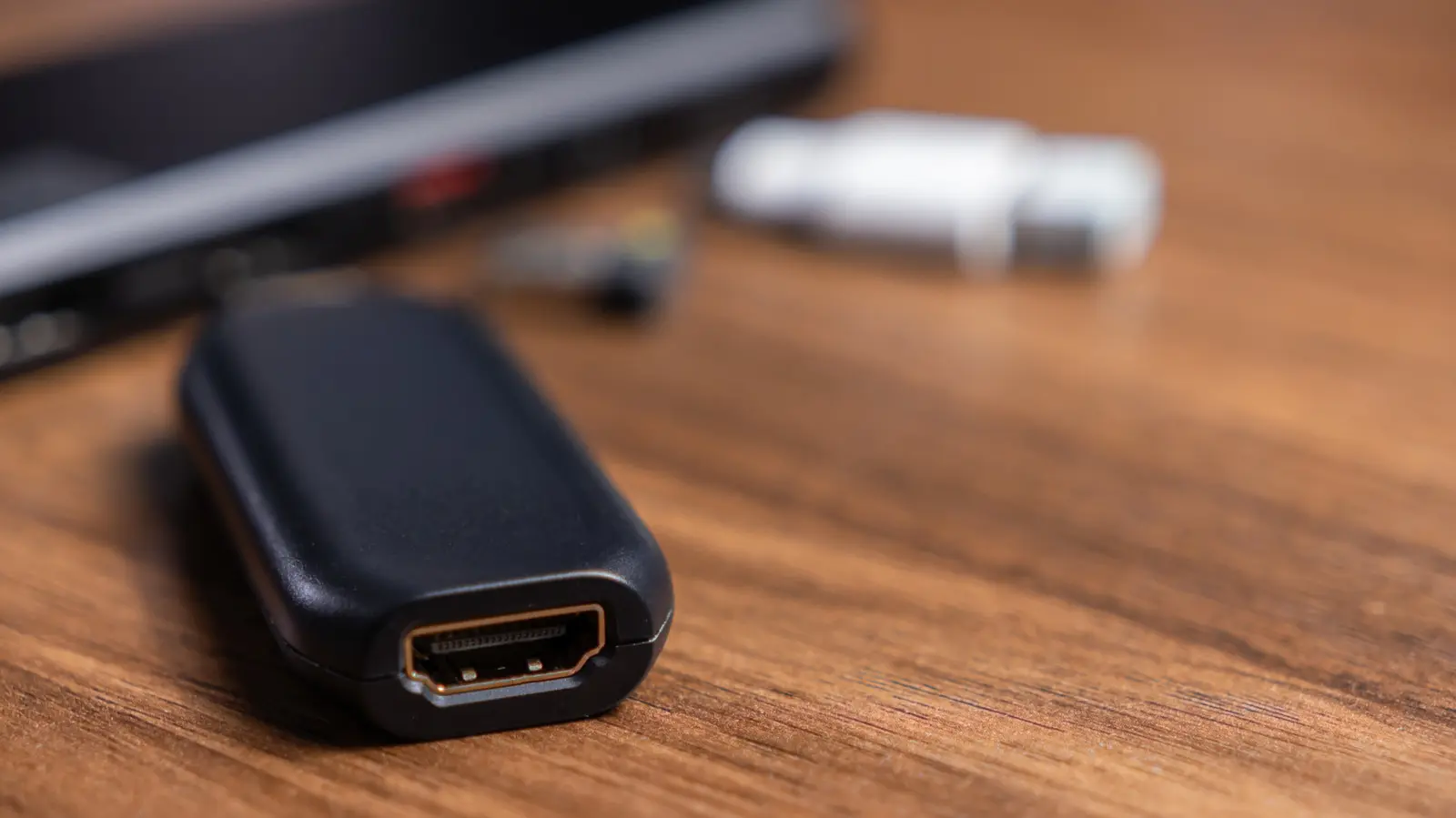
An HDMI coupler is a small, inexpensive device with two female HDMI ports, designed to connect two male-ended HDMI cables end-to-end. This effectively extends the total length of your cable run. For instance, if you have a 3-foot cable and a 6-foot cable, coupling them creates a 9-foot cable. This can be a lifesaver in situations where the distances are awkward or when you need to route cables around furniture, through walls, or behind cabinetry.
But is using an HDMI coupler always a good idea? Are there limitations? And when should you consider alternatives like active repeaters or longer single cables? This article delves into the practical uses of HDMI couplers, their technical characteristics, and best practices to ensure optimal performance in your home theater or gaming setup.
How HDMI Couplers Work
HDMI couplers are passive devices. This is a crucial distinction. Unlike active repeaters or signal boosters, a passive coupler does not amplify, regenerate, or clean the digital signal passing through it. It is merely a conductive bridge—a simple mechanical and electrical connection that allows the HDMI signal to travel from one cable to the next. The internal structure is essentially a direct wire connection from one female port to the other, preserving the signal's integrity as much as possible given the physical constraints.
Because they are passive, the quality of the connection depends heavily on the quality of the coupler itself and the cables being joined. Cheaper couplers may have poor shielding, inadequate contact pin design, or substandard soldering, all of which can introduce signal degradation. High-quality couplers, on the other hand, are often gold-plated to resist corrosion and feature robust strain relief to prevent physical damage over time.
When two cables are joined, the total length of the combined cable run becomes the sum of their individual lengths. For standard HDMI cables, the recommended maximum length for reliable signal transmission is around 50 feet (approximately 15 meters) for most consumer applications, especially for 1080p and 4K signals at standard refresh rates. Beyond that distance, signal attenuation—the gradual loss of signal strength—becomes noticeable. Attenuation can manifest as flickering, random black screens, color distortion, or complete signal loss.
Furthermore, every physical connection point introduces a small amount of impedance mismatch and signal loss. Even with high-quality components, joining two cables will typically result in a slight degradation compared to a single, continuous cable of the same total length. This is why it is generally advisable to use the fewest number of connections possible. While it is technically possible to join three or more cables using multiple couplers, each additional connection increases the risk of problems. For most home setups, joining two cables is perfectly acceptable, but going beyond that should be approached with caution, especially for high-bandwidth signals like 4K at 60Hz or 8K.
Cost-Effective Cable Extension
One of the primary advantages of HDMI couplers is their low cost. A single 8K-rated coupler can cost less than $10, and multi-packs are even more economical. For example, a pack of six 8K, 60Hz HDMI couplers might retail for around $9.99 on Amazon, working out to roughly $1.67 per unit. This is significantly cheaper than buying a new, longer HDMI cable, especially if you already own multiple shorter cables. If you need to extend several connections simultaneously (for example, connecting multiple gaming consoles to a switch or AV receiver), the savings multiply quickly.
However, cost savings should not be the only consideration. While a $2 coupler may work fine for occasional use or low-bandwidth signals (like 1080p), it may not be suitable for high-performance 4K or 8K content where signal integrity is paramount. For demanding applications, investing in a slightly more expensive coupler with better shielding and gold-plated contacts is wise. Also, ensure that your cables are of good quality and support the required HDMI version (e.g., HDMI 2.1 for 4K at 120Hz or 8K).
Another cost-saving scenario is when you have a damaged cable. If a cable's male end is bent or broken, but the rest of the cable is functional, you can cut off the damaged connector, strip the wires, and attach a new male connector—but that is tricky. Alternatively, you could simply use a coupler to attach a short pigtail cable to the damaged end, effectively bypassing the broken connector. While not a permanent solution, it can get you by until you replace the cable.
Practical Applications in Home Entertainment
HDMI couplers find utility in various real-world situations:
- Wall-mounted TVs: When a TV is mounted on a wall, the HDMI ports are often difficult to access. A coupler can be used to attach a short extension cable that is permanently connected to the TV, making it easier to plug and unplug devices without reaching behind the screen.
- Routing through conduits or walls: If you need to run a cable through a narrow conduit or behind a wall, it is often easier to pull a shorter cable through first, then use a coupler to connect it to the longer run on the other side.
- Combining existing cables: Instead of discarding perfectly good short cables when you move to a new room with longer distances, you can simply couple them together to achieve the needed length.
- Temporary setups: For presentations, trade shows, or temporary gaming stations, a coupler allows you to quickly join cables on hand rather than buying specialized lengths.
- Testing and troubleshooting: Couplers can be used to connect signal generators or testing equipment to cables for diagnostics.
Despite their simplicity, couplers are not a one-size-fits-all solution. For longer distances—beyond 50 feet—or for high-bandwidth signals over long runs, passive couplers may not suffice. In such cases, an active HDMI repeater or HDMI signal extender is necessary. These devices actively regenerate the signal, compensating for attenuation and allowing runs of up to 100 feet for 4K and 135 feet for 1080p. Some even support HDMI over Ethernet (HDBaseT) for even longer distances.
Potential Drawbacks and Considerations
While HDMI couplers are generally reliable for short extensions, users should be aware of a few potential issues:
- Signal degradation: As noted, every connection introduces a small loss. For critical applications like high-end gaming or professional video editing, a single cable is always preferable.
- HDMI version compatibility: Older couplers may not support the latest HDMI versions (2.0, 2.1). Ensure the coupler is rated for the bandwidth you need (e.g., 18 Gbps for 4K/60, 48 Gbps for 8K/60 or 4K/120).
- Physical strain: A coupler adds extra weight and length, which can put stress on the ports of the connected devices. Use cable supports or ties to relieve strain if needed.
- EDID and handshaking issues: In rare cases, the additional connection can cause issues with EDID (Extended Display Identification Data) communication between the source and display, leading to resolution or audio problems. This is uncommon but possible.
Historical Context and Evolution of HDMI
To fully appreciate HDMI couplers, it helps to understand the evolution of HDMI itself. The HDMI standard was developed by a consortium of electronics manufacturers, including Hitachi, Panasonic, Philips, Sony, and Toshiba, aiming to replace multiple analog cables (composite, component, S-Video, etc.) with a single digital interface. The first version (HDMI 1.0) was released in 2002, supporting up to 4.95 Gbps bandwidth, enough for 1080p video and 8-channel audio.
Over the years, subsequent versions increased bandwidth: HDMI 1.3 (2006) raised it to 10.2 Gbps, HDMI 2.0 (2013) to 18 Gbps, and HDMI 2.1 (2017) to a massive 48 Gbps, enabling 8K resolution, variable refresh rates, and eARC. As bandwidth demands grew, so did the challenges of maintaining signal integrity over longer distances. This spurred the development of active cables, fiber optic HDMI cables, and repeaters. Yet the humble coupler remained a simple, low-cost passive solution for short extensions.
Interestingly, the term "coupler" is sometimes used interchangeably with "gender changer" or "joiner," but technically a coupler typically connects two male cables, while a gender changer might connect a male to a female or female to female in various configurations. In practice, HDMI couplers are almost always female-to-female.
Alternatives to HDMI Couplers
Depending on your specific needs, other options may be more suitable:
- Single longer cable: The simplest solution, offering the best signal integrity. High-quality copper cables are available up to 50 feet; beyond that, active or fiber optic cables are recommended.
- Active HDMI repeater (booster): As mentioned, these devices amplify the signal, extending reach to 100 feet or more. They require external power, often via USB.
- HDMI over Ethernet (HDBaseT): Uses Cat6 or better cables to transmit HDMI signals over 100 meters, ideal for commercial installations or whole-home distribution.
- Wireless HDMI: Transmitters and receivers that beam the signal through the air, great for temporary setups or when running cables is impossible, though prone to interference and latency.
- HDMI switch or splitter: While not for extending length, these devices can combine multiple sources or send one source to multiple displays, often with built-in signal amplification.
For most consumers, a passive HDMI coupler is a perfectly adequate and cost-effective way to resolve short cable-length issues, especially when used with high-quality components and within the recommended distance limits. However, for mission-critical or long-distance runs, an active solution is a better investment.
In summary, HDMI couplers are simple, passive connectors that join two HDMI cables to extend their reach. They work well for short extensions (under 50 feet total) and offer significant cost savings compared to buying new cables. However, they do not boost signals, so multiple connections or very long runs can degrade performance. Users should always match couplers to the HDMI version of their equipment and consider active alternatives when distances exceed standard limits or when signal fidelity is paramount.
Source:SlashGear News