

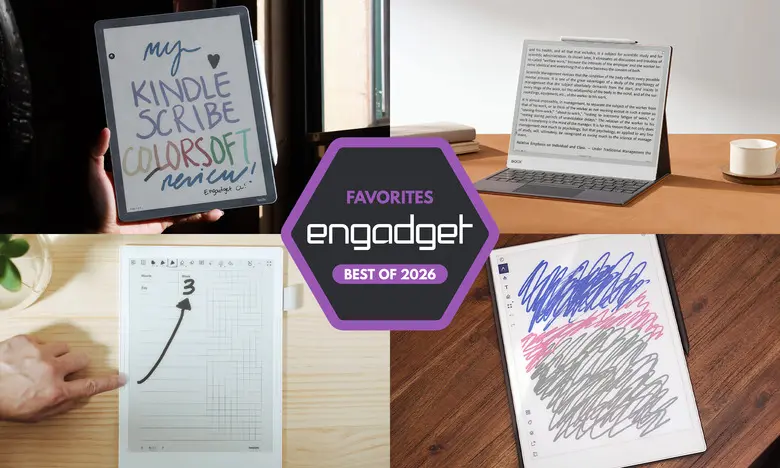
E Ink tablets have become a compelling middle ground between paper notebooks and full-featured tablets. They offer the tactile feel and readability of printed pages while adding digital convenience such as cloud storage, searchable handwriting, and long battery life. With more models now available than ever, it can be hard to choose. We have tested close to a dozen of the leading E Ink tablets to see which ones perform best for reading, writing, and productivity.
Quick picks for 2026
- Best overall E Ink tablet: reMarkable 2
- Best premium E Ink tablet: reMarkable Paper Pro
- Best e-reader E Ink tablet: Amazon Kindle Scribe
- Best E Ink tablet for writing: Supernote A6 X2
- Best color Android E Ink tablet: Onyx Boox Note Air4 C
- Best big-screen E Ink tablet: Onyx Boox Note Max
Best E Ink tablets for 2026
reMarkable 2: Best overall
The reMarkable 2 is the best E Ink tablet for most people thanks to its balance of performance and ease of use. Its 10.3-inch monochrome touchscreen is ideal for writing and reading, and the low-latency pen feels almost like ink on paper. You can import documents from Google Drive, Microsoft OneDrive, Dropbox, and reMarkable's own cloud. The tablet supports PDF and EPUB files, and Chrome users can send articles straight to the device. The base tablet costs $399, but a stylus is an additional cost unless you choose a bundle.
reMarkable Paper Pro: Best premium
The reMarkable Paper Pro is a step up in almost every way. It has an 11.8-inch color E Ink display, 64GB of storage, and a faster processor. The color screen allows for vibrant highlights and color-coded notes, and the improved response time makes writing feel more fluid. At $629, it is one of the pricier E Ink tablets we have tested, but it is also one of the most refined.
Amazon Kindle Scribe: Best e-reader E Ink tablet
The Amazon Kindle Scribe is the best choice for avid Kindle readers who also want to take notes. The latest model has a large 11-inch display, an improved front light, and a faster processor than older versions. It supports direct annotation in Kindle books, sticky notes, and separate notebooks. The included premium pen attaches magnetically and feels comfortable in hand. Prices start at $500 for the version with a front light, and a color version, the Scribe Colorsoft, costs $630.
Supernote A6 X2: Best for writing and note-taking
If your primary focus is handwriting, the Supernote A6 X2 is an excellent fit. It has a 7.8-inch screen, a replaceable battery, and a microSD slot for up to 2TB of extra storage. The software offers robust organization tools, including keywords, stars, and handwriting recognition. You can also create your own page templates. The A6 X2 sells for $329, but the pen is sold separately, which is worth remembering when budgeting.
Onyx Boox Note Air4 C: Another color option
The Onyx Boox Note Air4 C runs Android 13, giving you access to the Google Play Store and apps such as Kindle, Kobo, and Evernote. Its 10.3-inch color E Ink panel is great for reading and note-taking, and the included stylus ships in the box. Because it is an Android tablet, you can also use a web browser and attach files from third-party apps. At $529, it is competitively priced for a color model with full app support.
Onyx Boox Note Max: Big-screen option
For people who want a larger canvas, the Boox Note Max has a 13.3-inch E Ink display. It is ideal for viewing A4-sized documents, taking notes during meetings, and using the built-in Calendar Memo app. It runs Android 13 and comes with a stylus and cover. The $689 price is justified for those who need the extra screen real estate, but there is no front light, so reading in the dark is not recommended.
Honorable mention: reMarkable Paper Pro Move
The reMarkable Paper Pro Move is a compact version of the Paper Pro with a 7.3-inch color display. It has the same refined hardware, good battery life, and note-taking tools in a more portable body. The Move costs $449 with the standard marker and is a nice middle ground for people who want a smaller, cheaper reMarkable without losing the premium feel.
Honorable mention: Kobo Libra Colour
The Kobo Libra Colour is more of an e-reader than a full tablet, but it supports stylus input for margin notes and basic notebooks. It has a 7-inch color screen, physical page-turn buttons, and integration with Dropbox and Google Drive. The optional Kobo Stylus adds highlighters, pens, and handwriting conversion. With the stylus included, it costs around $300, making it a good budget alternative to the Kindle Scribe.
Are E Ink tablets worth it?
E Ink tablets are worth it for readers and note-takers who value long battery life and a distraction-free environment. They are not meant to replace a regular tablet. Browsing the web, watching videos, and playing games are better on an LCD or OLED screen. But for writing, sketching, and reading long documents, an E Ink tablet can be more comfortable and easier on the eyes. Most models also last for weeks or months on a single charge, so you can leave your charger behind.
What to look for in an E Ink tablet
Writing and latency
The writing experience is the most important part of any E Ink tablet. Check for low pen latency, good pressure sensitivity, and a comfortable stylus. Some tablets include the stylus, while others require a separate purchase. The texture of the screen also affects how closely the tablet replicates paper, so pay attention to that if you plan to write for long stretches.
Reading
Think about where you buy your e-books. If you use Kindle or Kobo, a tablet from the same brand will give you the simplest access to your library. For PDFs and EPUBs, an Android-based E Ink tablet or a device with broad file support may be better. Screen size matters too: larger screens are great for annotations, but small tablets are easier to hold while reading.
Search functionality
Searching handwritten notes is a key advantage of E Ink tablets. Many models now offer handwriting recognition, keyword bookmarks, and the ability to turn scribbles into typed text. If you plan to take thousands of notes, look for a tablet with reliable search and organization tools.
Sharing and connectivity
You will probably want to access your notes on another device. Most E Ink tablets support Wi-Fi syncing with mobile apps, cloud drives, or email. Some offer Bluetooth for keyboards or headphones. Choose a model that works with the cloud services you already use, such as Google Drive, OneDrive, or Dropbox.
Price
E Ink tablets cost anywhere from $300 to more than $800. Color screens, larger displays, and Android support push prices higher. Styluses are often sold separately, so check the included accessories. With prices on the rise, it is worth deciding which features matter most to you before making a purchase.
Other E Ink tablets we've tested
Onyx Boox Tab X C
The Boox Tab X C is a powerful Android E Ink tablet with a 13.3-inch color display. It costs more than $800 and is best for people who want a premium, large-screen color e-paper device.
Lenovo Smart Paper
Lenovo's Smart Paper offers solid hardware but depends heavily on Lenovo's cloud service. The software is less flexible than competitors, and the subscription price can add up, so it did not make our top picks.
Onyx Boox Tab Ultra
The Boox Tab Ultra runs Android and can be used with a keyboard case, but its E Ink screen is better for reading and note-taking. For those who need a full traditional tablet, a standard 2-in-1 laptop is almost always a better choice.
Source:Engadget News