

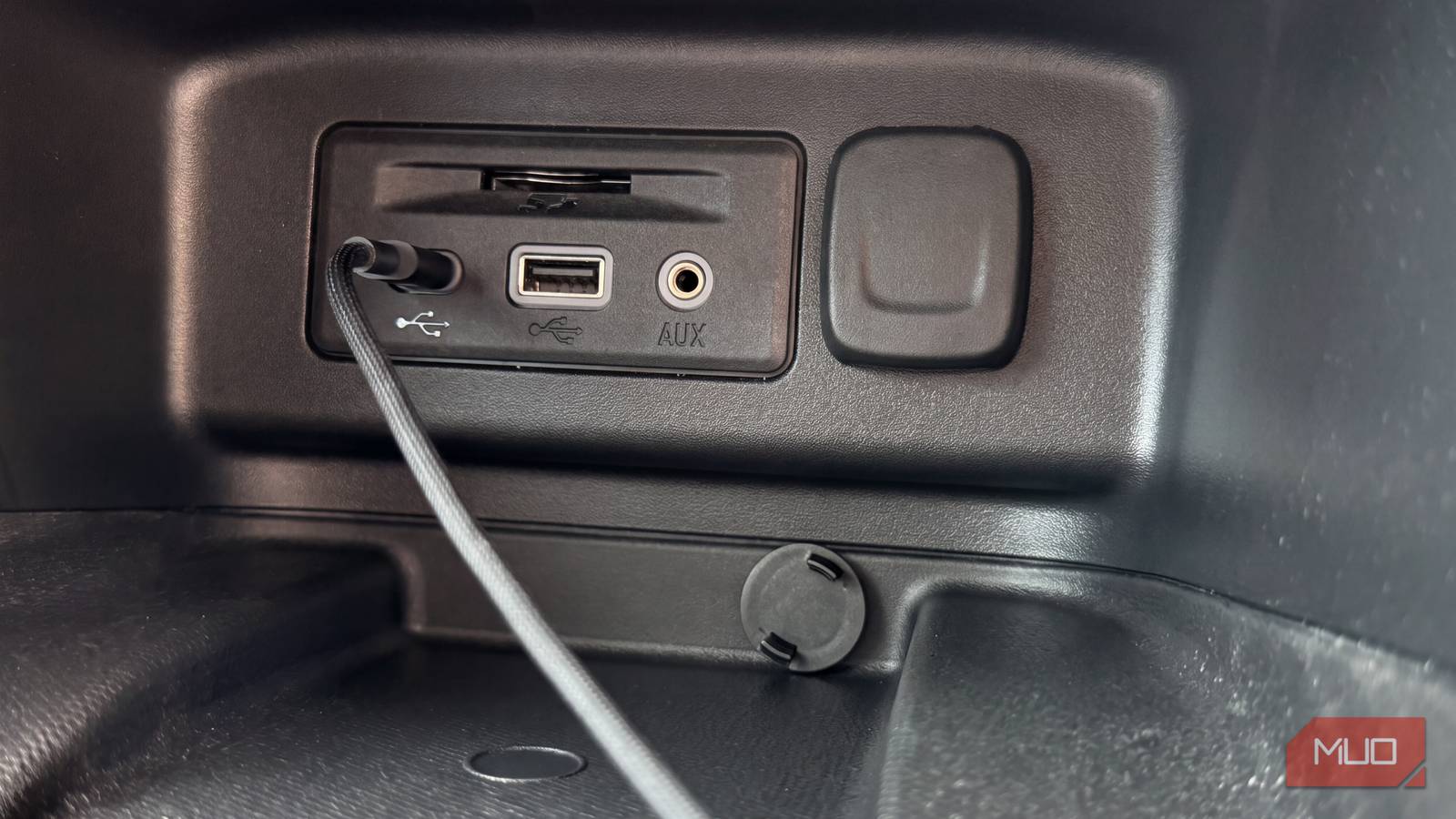
USB ports have become standard equipment in modern vehicles, but many drivers still treat them as little more than phone chargers or connections for wired smartphone projection. That is a narrow view of what the port can do. With the right low-power accessory, a car's USB outlet can support safety equipment, improve cabin air, simplify tire checks, keep the interior clean, and even add a little personality to the dashboard. The best part is that most of these upgrades cost less than a tank of fuel and install without professional help.
The important caveat is that not every USB port is the same. Some are designed only to charge, some deliver low current, and others support both power and data. Before plugging in any accessory, check the owner's manual for port output and whether the outlet stays powered when the engine is off. A device that draws more power than the port can supply may charge slowly, shut down, or overload a weak circuit. Once that is understood, the list of useful gadgets becomes surprisingly long.
Key facts
- A car USB port can power or recharge dash cams, air purifiers, humidifiers, tire-pressure monitors, handheld vacuums, flash drives, and LED light strips.
- Charging-only ports cannot play music from a flash drive; data-capable ports can.
- Typical accessory prices range from about $15 to $60, and a spare USB drive may cost nothing at all.
- Power draw, cable routing, heat, and port output matter more than the gadget's marketing claims.
- USB accessories should be treated as driver aids and convenience items, not replacements for regular vehicle maintenance.
Power small safety and comfort gadgets
Dash cams
A dash cam is one of the most practical USB-powered additions a driver can make. Mounted on the windshield or rear glass, it records the road ahead or behind and can provide useful evidence after a collision, a near miss, or a parking-lot dispute. Basic models often cost around $60, though prices vary widely by resolution, night vision, and storage. Installation is usually simple: attach the camera, route the cable along the headliner and down a pillar, and plug it into a USB outlet. Cable routing should never cross the driver's field of view or interfere with pedals, airbags, or mirrors.
Drivers who do not want to buy a dedicated camera can repurpose an old smartphone. A spare phone with a dash-cam app, a suction mount, and a charging cable can record trips, although it may be more sensitive to heat and may need careful storage management. A dedicated dash cam is usually more reliable because it starts automatically and overwrites old footage. Either way, the USB port makes the setup convenient, but the port must be able to supply enough current to keep the camera running during long drives.
Air purifiers and humidifiers
Cabin air quality can deteriorate quickly in dense traffic, especially when windows are closed and the ventilation system is recirculating stale air. A small USB-powered air purifier can fit in a cupholder or console tray and run continuously while the car is occupied. Many units include a HEPA-style filter and a scent diffuser, which can make the cabin feel fresher. Filters need periodic replacement, and the device should not block airbags, vents, or the driver's view. A purifier is not a substitute for replacing a dirty cabin filter, but it can be a useful supplement.
A USB humidifier addresses a different problem. Air conditioning removes moisture from the cabin, and long drives with the AC running can leave passengers with dry throats, irritated eyes, and static buildup. A compact humidifier can add moisture back into the air. Drivers should use distilled water when possible, clean the unit regularly, and avoid overfilling it. Because these devices sit near electronics and upholstery, leaking or poorly sealed units should be removed immediately. Power draw is usually modest, but a weak USB port may not run the device at full output.
Tire-pressure monitoring
Many older vehicles do not display individual tire pressures on the dashboard. An aftermarket tire-pressure monitoring system can fill that gap for around $50. These kits typically include valve-cap sensors and a small display that plugs into a USB port or charges from one. The display shows current pressure and may alert the driver when a tire drops below a set threshold. That early warning can help prevent a slow leak from becoming a roadside emergency and can improve fuel efficiency by encouraging correct inflation.
Aftermarket sensors may need battery replacements, and the display should be positioned where it is easy to glance at without becoming a distraction. Readings should still be checked with a reliable gauge during routine maintenance. A USB-powered monitor is convenient, but it is only as accurate as its sensors and installation. Drivers should follow the manufacturer's pairing instructions and test the system after rotating tires or changing wheels.
Connect a handheld vacuum cleaner
Interior mess builds up quickly, especially for drivers with children, pets, or a habit of eating on the road. A compact handheld vacuum can live in the glovebox or a door pocket and deal with crumbs, dust, pet hair, and sand before they become embedded in carpet. Many small vacuums recharge through USB, and some can run from a USB outlet while connected. Prices often fall between $20 and $30, making one an easy impulse purchase. The suction will not match a full-size garage vacuum, but it is usually enough for quick cleanups between deeper detailing sessions.
Useful attachments make a difference. A crevice tool can reach seat rails, footwells, and the space between the center console and the seats. A brush attachment can lift pet hair from fabric. Drivers should empty the dustbin after each use, clean the filter, and avoid leaving a vacuum in a hot car for long periods. Battery-powered vacuums also need regular charging, and a USB port can provide a convenient top-up without searching for a wall outlet.
Play offline music from a flash drive
Long before wireless connections became common, a USB flash drive was the simplest way to carry a personal music library into a car. The method still works. A driver can format a spare drive, load it with albums or playlists, and plug it into a data-capable USB port. The head unit reads the files and plays them through the car's speakers. This approach works in areas with no cellular signal, does not drain a phone battery, and does not require a streaming subscription. It is especially useful on road trips through remote areas.
Compatibility is the main limitation. Some USB ports supply power only and cannot read data, so a flash drive will not appear in the media menu. File systems and audio formats also matter; older stereos may prefer FAT32 drives and MP3 files, while newer systems may support larger drives and higher-quality formats. Organizing music into folders by artist, album, or mood can make browsing easier. A small-capacity drive is often sufficient, and keeping a backup of the files on a computer avoids losing a carefully built library.
Add ambient lighting
USB-powered LED strips are an easy way to change the atmosphere inside a cabin. The strips plug into a USB outlet and can be routed along footwells, under the dashboard, or along door panels. Many kits include a remote or smartphone app for changing colors, adjusting brightness, and syncing the lights to music. At night, the effect can make an older interior feel more modern and premium. Prices are often in the $15 to $20 range, and installation usually involves adhesive backing and careful cable routing rather than complex wiring.
Safety and legality still matter. Strips should not be placed where they distract the driver, reflect off the windshield, or interfere with airbags. Wiring should be tucked away from pedals and seat tracks. Exterior underglow may be restricted by local road rules, so drivers should check regulations before adding lights outside the cabin. Interior lighting is generally the safer choice, and a subtle setup is more likely to remain useful than an overpowering one.
Practical cautions before plugging in
The biggest mistake drivers make is assuming every USB port behaves like a wall charger. Some ports deliver only a few watts, while others support fast charging or higher-power devices. A dash cam, vacuum, or light strip that works in one vehicle may perform poorly in another. Drivers should check the port's output, use short and well-made cables, avoid daisy-chaining adapters, and stop using any device that becomes unusually hot, smells of burning, or causes flickering lights. Cables should be routed so they cannot be caught by feet or interfere with controls.
It also helps to think of USB accessories as supplements rather than substitutes for maintenance. A tire-pressure display does not replace a proper gauge, an air purifier does not replace a cabin filter, and a dash cam does not prevent collisions. Used sensibly, however, these gadgets can make a vehicle safer, cleaner, and more enjoyable. The humble USB port is already sitting in the dashboard; with the right accessory, it can finally earn its place.
Source:MakeUseOf News